
TIJ Printer Installation Guide: Step-by-Step Setup for Industrial Lines
2026-03-05(137)Views
Installing a TIJ printer (Thermal Inkjet printer) on an industrial production line requires more than mounting hardware and inserting a cartridge. A successful TIJ printer installation ensures consistent print quality, minimal downtime, and long-term operational stability.
This step-by-step TIJ printer installation guide walks through the critical stages required for industrial deployment—helping manufacturers avoid common setup mistakes and protect their investment.
Why Proper TIJ Printer Installation Matters
Even high-quality TIJ printers can underperform if installation is rushed or poorly planned. Common consequences of improper setup include:
1.Inconsistent print quality
2.Smudging or poor adhesion
3.Frequent cartridge issues
4.Data integration errors
5.Unplanned downtime
Correct installation directly impacts reliability, compliance, and ROI.
Step-by-Step TIJ Printer Installation for Industrial Lines
Step 1: Evaluate the Production Environment
Before installation, assess:
1.Ambient temperature range
2.Humidity levels
3.Airflow near the printhead
4.Dust and debris exposure
Thermal inkjet printers are sensitive to environmental fluctuations. Stabilizing the environment improves droplet consistency and ink performance.
Step 2: Confirm Substrate and Ink Compatibility
Match the ink cartridge to:
1.Corrugated cartons
2.Coated packaging
3.Plastic films
4.Foil or laminated materials
Perform adhesion and drying tests under real production conditions—not lab simulations.
Step 3: Determine Optimal Print Location
Select a print position that ensures:
1.Stable product movement
2.Minimal vibration
3.Adequate print window time
4.Safe operator access
The wrong print location can cause distortion or incomplete coding.
Step 4: Design and Secure the Mounting System
Proper mounting is critical for TIJ printer stability.
Ensure:
1.Rigid bracket construction
2.Adjustable height and angle
3.Consistent print distance
4.Anti-vibration support
Mechanical instability is a leading cause of print quality issues.
Step 5: Set Correct Print Distance
Most industrial TIJ printers require a controlled throw distance, typically between 2–5 mm (depending on model and application).
Too far:
1.Causes blurred edges
2.Reduces resolution
Too close:
1.Risks head strikes
2.Damages cartridges
Precise alignment protects both print clarity and hardware longevity.
Step 6: Configure Electrical and Data Connections
Connect the TIJ printer to:
1.Power supply (stable voltage)
2.PLC system (if required)
3.ERP or traceability software
Verify signal timing and trigger synchronization before live production.
Data integrity is as important as mechanical stability.
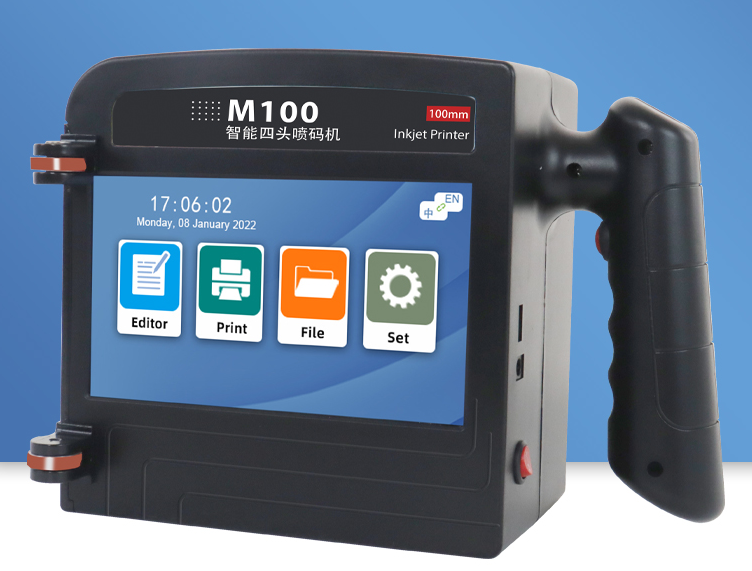
Step 7: Install and Prime the Ink Cartridge
During cartridge installation:
1.Avoid touching nozzle plates
2.Ensure proper locking mechanism engagement
3.Run initial purge/prime sequence
Incorrect cartridge handling can cause early failure or inconsistent printing.
Step 8: Configure Print Parameters
Set:
1.Print resolution (DPI)
2.Character height
3.Trigger delay
4.Print frequency
Validate performance at actual line speed—not test speed.
Step 9: Conduct Live Production Validation
Before full deployment:
1.Run multiple production cycles
2.Inspect print clarity
3.Test barcode readability
4.Evaluate ink drying time
Live validation prevents post-installation surprises.
Step 10: Train Operators and Document Procedures
Successful TIJ printer installation includes:
1.Operator training
2.Cleaning schedule documentation
3.Cartridge replacement guidelines
4.Troubleshooting instructions
Human factors significantly influence long-term performance.
Common TIJ Installation Mistakes to Avoid
Avoid these frequent errors:
1.Installing without environmental assessment
2.Skipping ink-substrate testing
3.Ignoring vibration effects
4.Overlooking data synchronization
5.Failing to validate at full speed
Most TIJ printer failures originate from setup—not technology.
Industrial Scalability Considerations
When planning installation, evaluate:
1.Future speed increases
2.Additional printhead expansion
3.Integration with new product lines
A scalable installation design avoids costly rework later.
The Real Goal: Stable, Repeatable Performance
A properly installed TIJ printer should deliver:
1.Consistent print quality
2.Reliable barcode grading
3.Minimal maintenance
4.Predictable operating cost
Installation precision determines long-term performance stability.
Talk to Our Company for Professional TIJ Installation Support
Our company supports manufacturers with complete TIJ printer installation planning—from environmental assessment to ink testing and integration validation. We focus on real production performance, not just hardware setup.
Contact our company today for a professional TIJ installation consultation and ensure your system performs reliably from day one.
+MoreRelated recommendations
-

When Does a Higher-Priced Handheld Inkjet Printer Save Money?
Learn when a higher-priced handheld inkjet printer can save ...
-

Understanding Total Cost of Ownership for Handheld Inkjet Printers
Understand the total cost of ownership for handheld inkjet p...
-

The Hidden Costs of Choosing the Wrong Handheld Inkjet Printer
Discover the hidden costs of choosing the wrong handheld ink...
-

What Really Determines Handheld Inkjet Printer Performance?
Discover what really determines handheld inkjet printer perf...
Contact Us

Service phone number+8618759952301
—— Add WeChat communication


