
Why Simple Interfaces Matter in Handheld Inkjet Printer Adoption
2026-02-23(201)Views
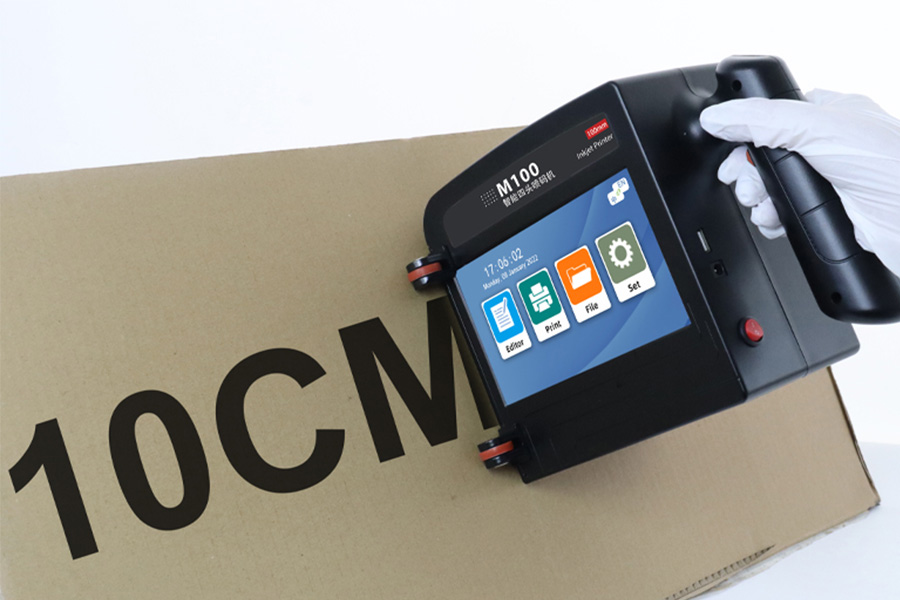
Handheld inkjet printers promise speed, flexibility, and cost efficiency. Yet in many facilities, adoption success depends less on print technology and more on how easily operators can use the interface.
A simple, intuitive interface is often the deciding factor between a tool that improves productivity and one that creates resistance.
Adoption Fails More Often at the Interface Level
Many handheld inkjet printers technically meet production requirements, but fail to gain traction because:
1.Operators avoid complex menus
2.Setup steps are unclear
3.Errors are difficult to diagnose
When usability breaks down, so does adoption.
Handheld Printers Are Used Under Pressure
Unlike stationary systems, handheld inkjet printers are often used:
1.During changeovers
2.Under time constraints
3.By operators with varying skill levels
Complex interfaces increase cognitive load exactly when clarity is needed most.
Simple Interfaces Reduce Human Error
Every additional menu, parameter, or confirmation step increases the chance of error.
Clear interfaces help by:
1.Limiting unnecessary settings
2.Guiding users step by step
3.Making incorrect inputs harder to execute
This directly improves print consistency and data accuracy.
Faster Training and Shorter Learning Curves
High operator turnover is a reality in many industries.
Simple interfaces:
1.Reduce training time
2.Lower dependency on specialists
3.Enable faster onboarding
This makes handheld inkjet printers more scalable across shifts and locations.
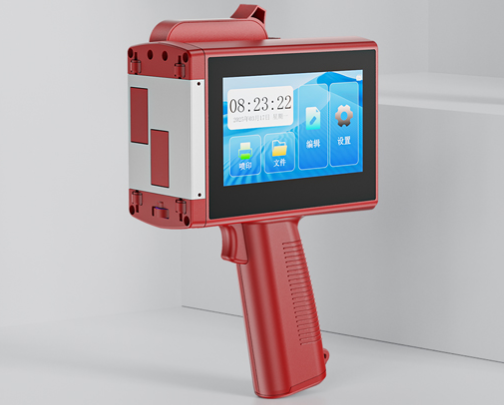
Visual Feedback Builds Operator Confidence
Immediate, clear feedback helps operators trust the tool.
Effective interfaces provide:
1.Real-time print previews
2.Clear status indicators
3.Obvious error messages
Confidence leads to consistent use and better results.
Standardization Across Teams and Sites
Complex interfaces encourage workarounds.
Simple, consistent layouts enable:
1.Repeatable workflows
2.Easier documentation
3.Cross-site standardization
This supports both quality control and compliance.
Supporting Non-Technical Users
Not every user is a technician.
Handheld inkjet printers often reach:
1.Temporary workers
2.Field staff
3.Warehouse operators
Interfaces must match the user—not the engineer.
Reducing Support and Downtime
When users can solve basic issues themselves:
1.Fewer support calls are needed
2.Downtime is reduced
3.IT and maintenance teams stay focused
Interface clarity translates into operational efficiency.
Simplicity Does Not Mean Fewer Capabilities
Well-designed interfaces hide complexity without removing power.
Advanced features remain available—but only when needed.
This balance is critical for long-term adoption.
Usability as a Strategic Selection Criterion
Interface design should be evaluated alongside:
1.Print quality
2.Ink compatibility
3.Cost of ownership
Ignoring usability often leads to underutilized equipment.
Talk to Our Company About User-Centered Handheld Printing
Our company helps manufacturers select handheld inkjet printers that people actually want to use. We focus on usability, reliability, and real-world adoption—not just specifications.
Contact our company today to improve adoption and reduce operational friction.
+MoreRelated recommendations
-
Handheld Inkjet Printer Warranty Questions Buyers Should Ask Before Ordering
Ask these handheld inkjet printer warranty questions to clar...
-
Handheld Inkjet Printer Order Checklist: Printer, Ink, Accessories, and Spare Parts
Use this purchase checklist to confirm the printer, ink, acc...
-
What Information Should You Send for an Accurate Handheld Inkjet Printer Quote?
Use this RFQ worksheet to send the material, message, print ...
-
How to Print Scannable Barcodes and QR Codes on Plastic Packaging
Learn how to print scannable barcodes and QR codes on plasti...
Contact Us

Service phone number+8618759952301
—— Add WeChat communication


